Controls and Settings in Poly Wars
Master infantry, armor, and helicopter inputs so you can contest A, B, and C without fighting the camera.
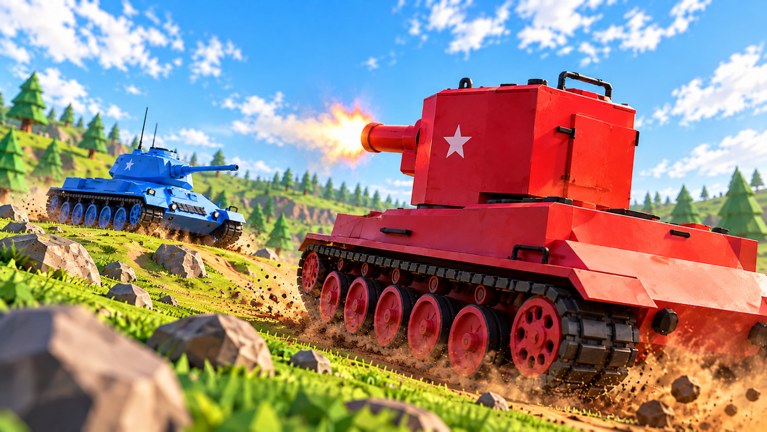
Poly Wars on Roblox mixes infantry, 25+ tanks, Huey gunships, and Chinook airlifts in Red vs Blue fights over flags A / B / C. The first team to 600 wins. Bad controls waste lives that should have flipped a letter. This guide covers the default Roblox-style movement and combat feel, vehicle-specific habits, camera and graphics settings that keep the battlefield readable, and how to practice inputs before a ranked push. Pair it with Getting Started, Tank Combat, Helicopters and Airlift, and How to Capture Flags.
Controls can shift slightly after patches listed on Updates. Always open the in-game settings or Roblox escape menu after a big client update and confirm binds before you trust muscle memory.
Core infantry controls
Most foot soldier actions follow standard Roblox FPS / battleground patterns:
- Move with WASD (or the on-screen stick on mobile).
- Jump with Space; use it to clear low rubble after buildings collapse.
- Sprint with Shift when you need to reach a contested letter before the capture tick flips.
- Crouch / prone (when available in your build) to shrink your profile on a flag roof or behind debris.
- Fire / use with left click or tap; aim with right click or the aim button on mobile.
- Reload with R when your magazine empties mid-fight — do not reload in the open on a hot flag.
- Equip / hotbar keys (usually 1–9 or the inventory slots) cycle Armory tools such as RPG, Stinger, frags, molotovs, AT mines, C4, and mortar strikes. Full kit advice lives in Armory and Loadouts.
On mobile, keep thumbs on move + look, and map the Armory item you use most to the easiest quick slot. On console, confirm which bumper opens the tool wheel so you can plant mines without opening the full menu mid-push.
Tank and vehicle controls
Armor wins lanes when drivers treat the hull like a second character:
- Throttle and reverse — learn how long your tank needs to stop and reverse. The T-34 forgives mistakes; a Jagdtiger or Karl-Gerät does not.
- Turret / gun aim — separate hull facing from gun facing whenever the vehicle allows it. Angle the armor toward the threat while the gun tracks a soft target on the flag.
- Fire and reload cadence — count your reload so you are not empty when an RPG infantry peeks.
- Seat / crew swap — if multi-crew is available in your build, assign a gunner so the driver can focus on road and mines.
- Exit vehicle — bind or remember the exit key. Bail before a satchel cooks you when repair is impossible.
Practice a figure-eight on a quiet road: accelerate, hard reverse, turret track a stationary prop, then exit and remount. That drill alone cuts deaths to AT mines and C4. Rankings and matchups for each hull sit on the Tank Tier List.
Helicopter and airlift inputs
Hueys and Chinooks punish sticky pitch and yaw:
- Lift off with clear forward space — many pilots die clipping destructible roofs on takeoff.
- Strafe with short gun bursts; long sprays announce your path to every Stinger.
- For Chinook airlifts of Bofors or howitzers, approach the pickup slow, confirm the hook or attach prompt, then climb before turning toward the drop pit.
- Land facing an exit path so you can leave without hovering as a free Stinger target.
If air controls feel inverted or too sensitive, lower camera sensitivity in Roblox settings before your next sortie. Technique detail lives in Helicopters and Airlift.
Camera, graphics, and readability
Flags only help if you can see who owns them:
- Raise graphics enough to read team colors and flag markers, but keep frame rate stable on mobile.
- Disable heavy blur or motion effects that hide incoming rockets.
- Increase UI scale slightly if the scoreboard or letter icons are hard to parse.
- On PC, lock a comfortable FOV that shows flank roads without fisheye distortion.
- Use headphones so you hear Huey blades, tank tracks, and explosion cues that telegraph a flip on A/B/C.
After a building collapses, re-orient the camera before you re-peek. New sightlines appear every round because destruction is permanent for that match.
Settings checklist before a serious session
- Confirm movement, jump, sprint, and fire binds after any Roblox client update.
- Map C4, AT mines, RPG, and Stinger to quick slots you can hit under stress.
- Test tank reverse and turret track in a quiet spawn lane for thirty seconds.
- Test Huey pitch sensitivity over friendly ground before you fly mid.
- Glance at Codes and Updates so freebies and patch notes are fresh.
- Skim Revenge and Nuke so special ability prompts do not surprise you mid-fight.
Practice routine (ten minutes)
- Minutes 0–3: Infantry only on the nearest flag — move, plant one mine, throw one frag, leave.
- Minutes 3–7: One tank life focusing on reverse angles and not dying to the same road twice.
- Minutes 7–10: One Huey or Chinook pass with a planned landing, then switch to Stinger on foot if air feels shaky.
Repeat that loop after every major patch. Controls skill compounds with objective sense: the squad that reacts fastest on a flipping letter usually hits 600 first.
Common control mistakes
- Reloading in the open on a hot flag.
- Driving forward only — never practicing reverse under fire.
- Flying a Huey with max sensitivity and overcorrecting into trees or roofs.
- Forgetting which hotbar slot holds C4 when a Jagdtiger pushes the point.
- Ignoring mobile / console prompt differences and freezing in menus mid-capture.
Clean inputs will not replace teamwork, but messy inputs will erase good plans. Lock your binds, drill the three roles, and return to the Guides Hub when you specialize further.
Frequently Asked Questions
Quick answers for Poly Wars tanks, flags, and codes.
What are the basic Poly Wars movement keys on PC?
Use WASD to move, Space to jump, Shift to sprint, mouse buttons to aim and fire, and number keys or hotbar slots for Armory tools. Confirm binds in Roblox settings after client updates.
How do I get better at tank controls quickly?
Practice accelerate, hard reverse, and turret tracking on a quiet road for thirty seconds each session. Learn exit timing so C4 and mines do not trap you in a burning hull.
Why do helicopters feel hard to fly?
Pitch and yaw sensitivity are often too high by default. Lower camera sensitivity, take off into clear space, and fly short gun passes instead of long sprays over open flags.
Do mobile and console use different controls?
Yes. Touch and gamepad layouts map the same actions to sticks, bumpers, and on-screen buttons. Assign C4, mines, RPG, and Stinger to the easiest quick slots before a serious match.
Which settings help me see flags A, B, and C?
Keep graphics high enough to read team colors and letter markers, stabilize frame rate, reduce blur, and raise UI scale if the scoreboard is hard to parse.
Where should I go after learning controls?
Read Getting Started and How to Capture Flags for objectives, then Tank Combat or Helicopters depending on the role you want to main.